
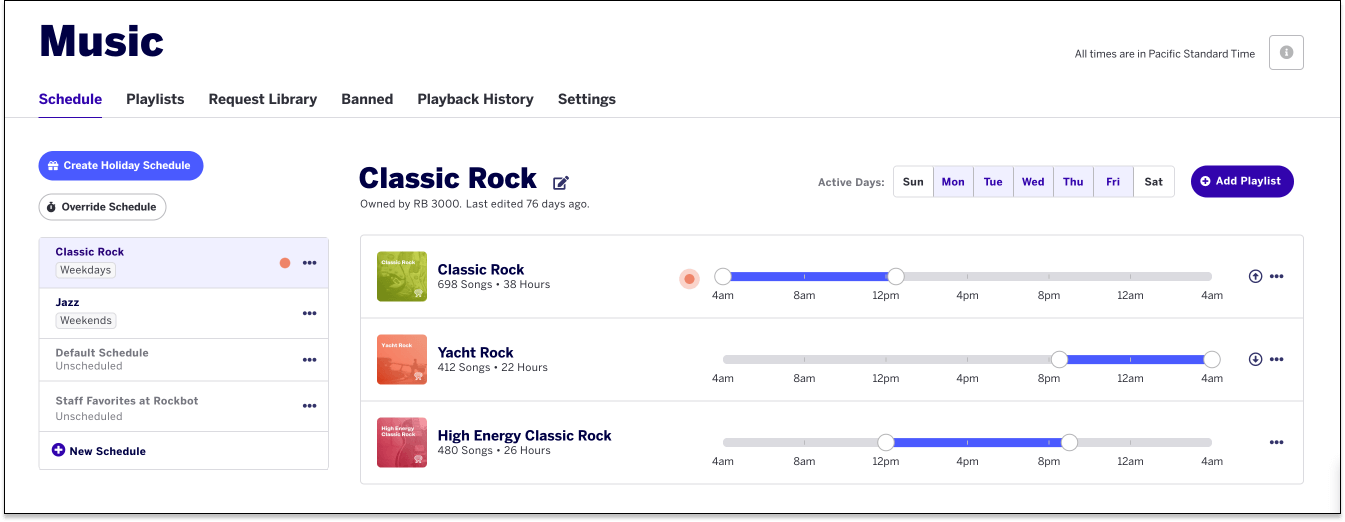


We have released our new music dashboard, designed to be smarter, faster and easier than ever. We have updated everything from the way you view what is currently playing to how you choose and customize playlists. Whether you are a bar, restaurant, gym or bank, we wanted to make it simple to perfect your vibe. Let's walk through a sneak peek below.
Cleaner, Simpler View of What's Currently Playing
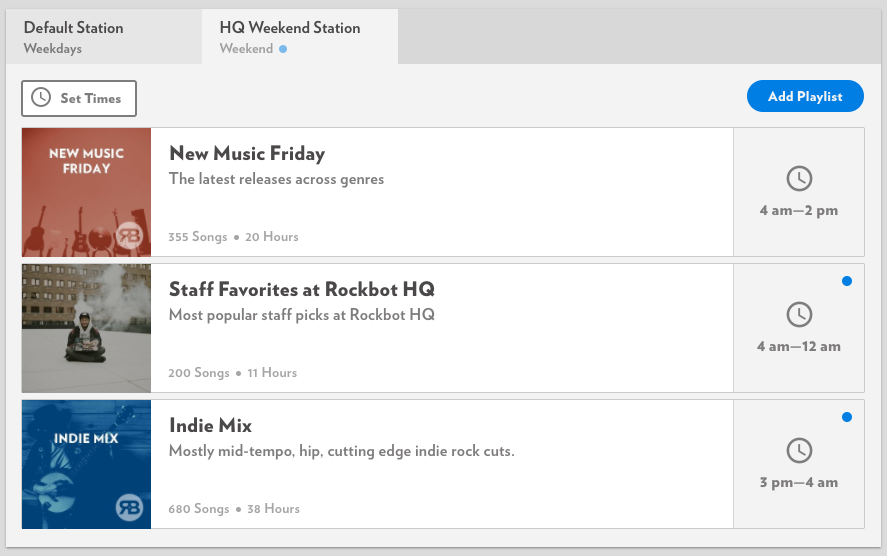
In a quick glance, view the stations and playlists that are currently playing at your business. You'll notice flashing blue dots that indicate which playlists are on and time stamps that mark when each is scheduled.
Drag and Drop Functionality for Easy Scheduling
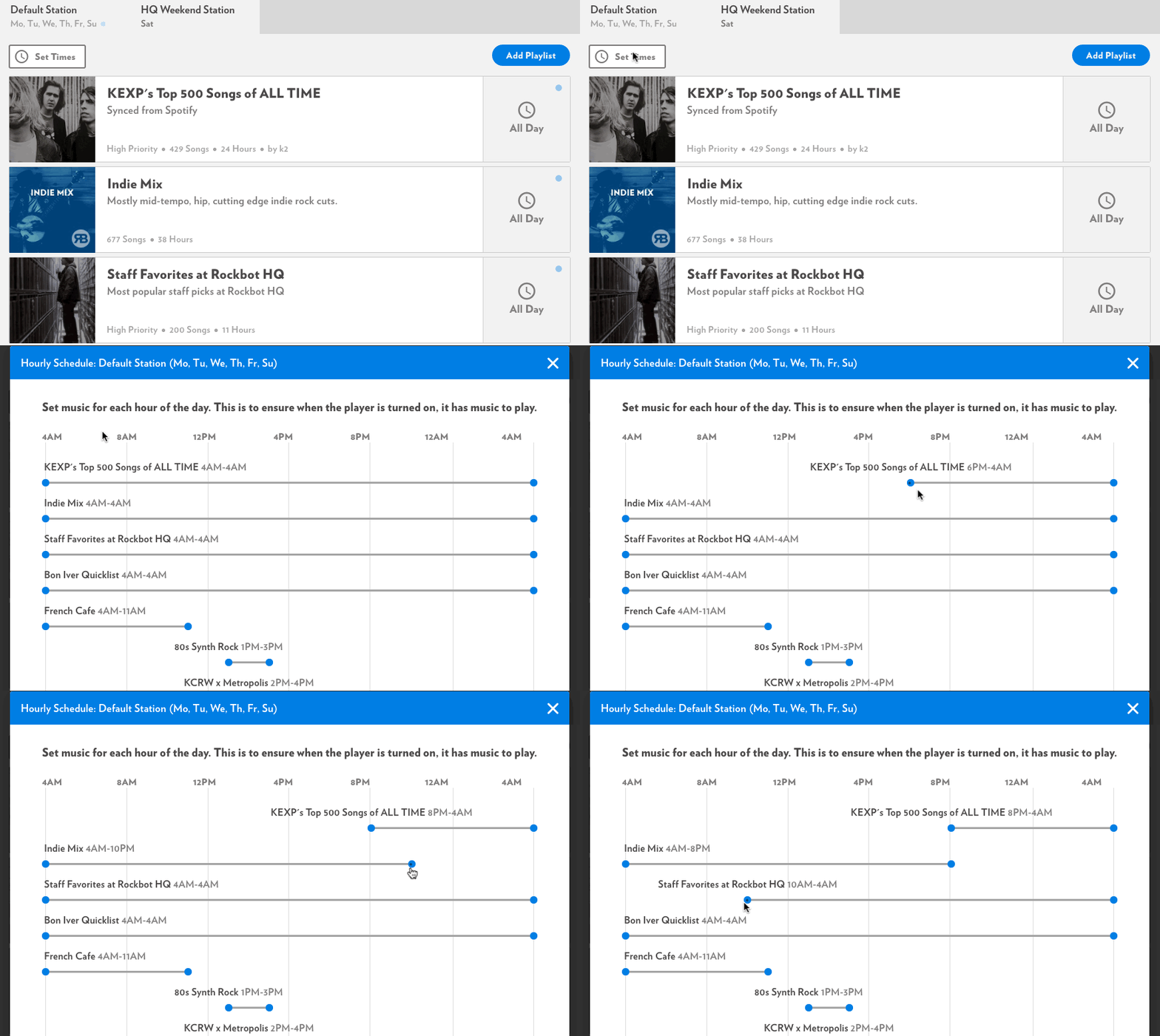
From your music dashboard, click 'Set Times' to drag and drop your playlists to the time schedule of your choosing. Rockbot will alert you if you have gaps during your business hours, so you can rest assured that music will always be playing.
Playlist Browsing by Artist, Genre and Keyword
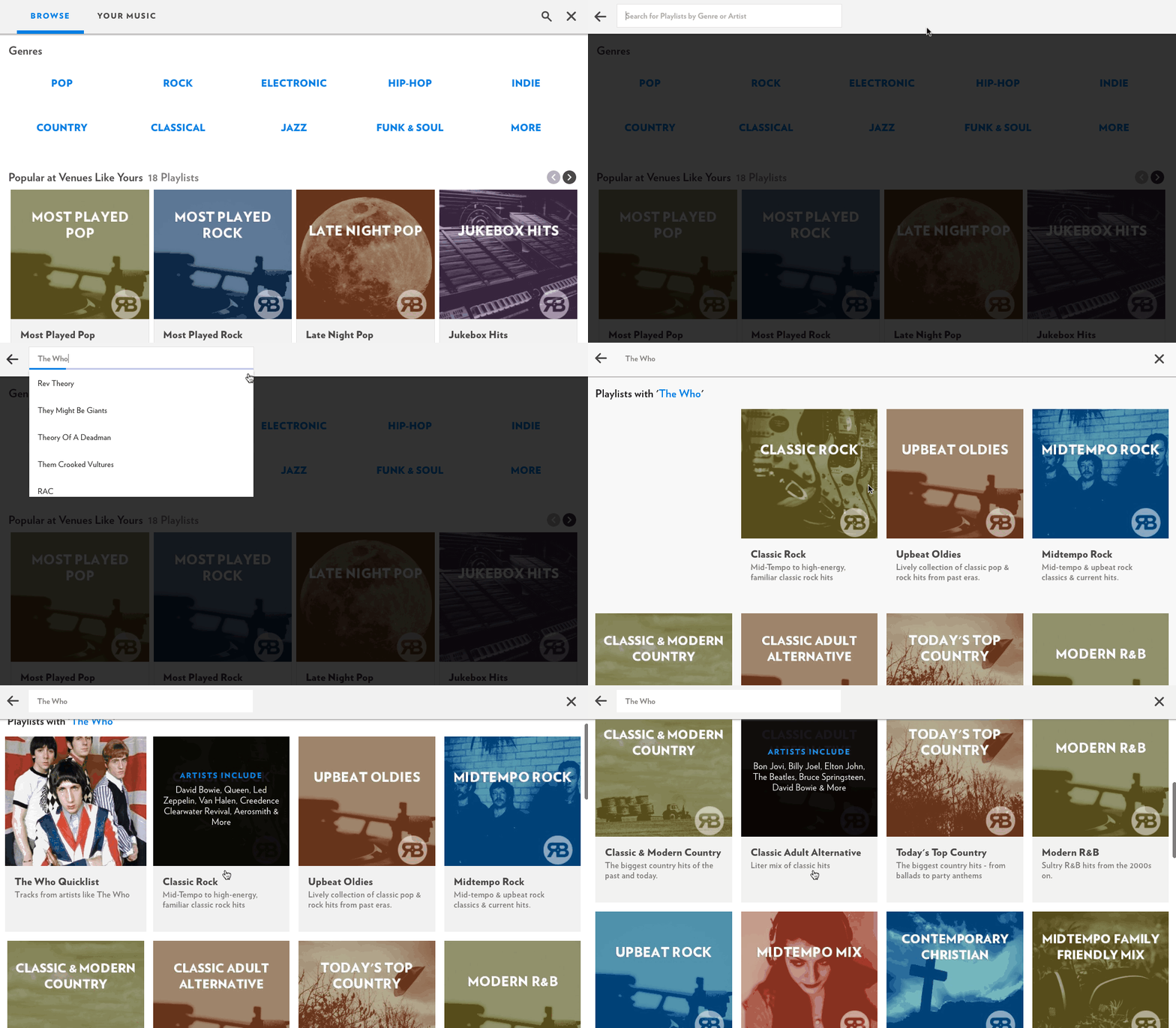
Playlist browsing is now much easier and more fun. Get started by browsing playlists popular for your business type. You can also browse by typing in your favorite artists, genres or keywords.
Quick Playlist Preview with 30 Second Song Clips
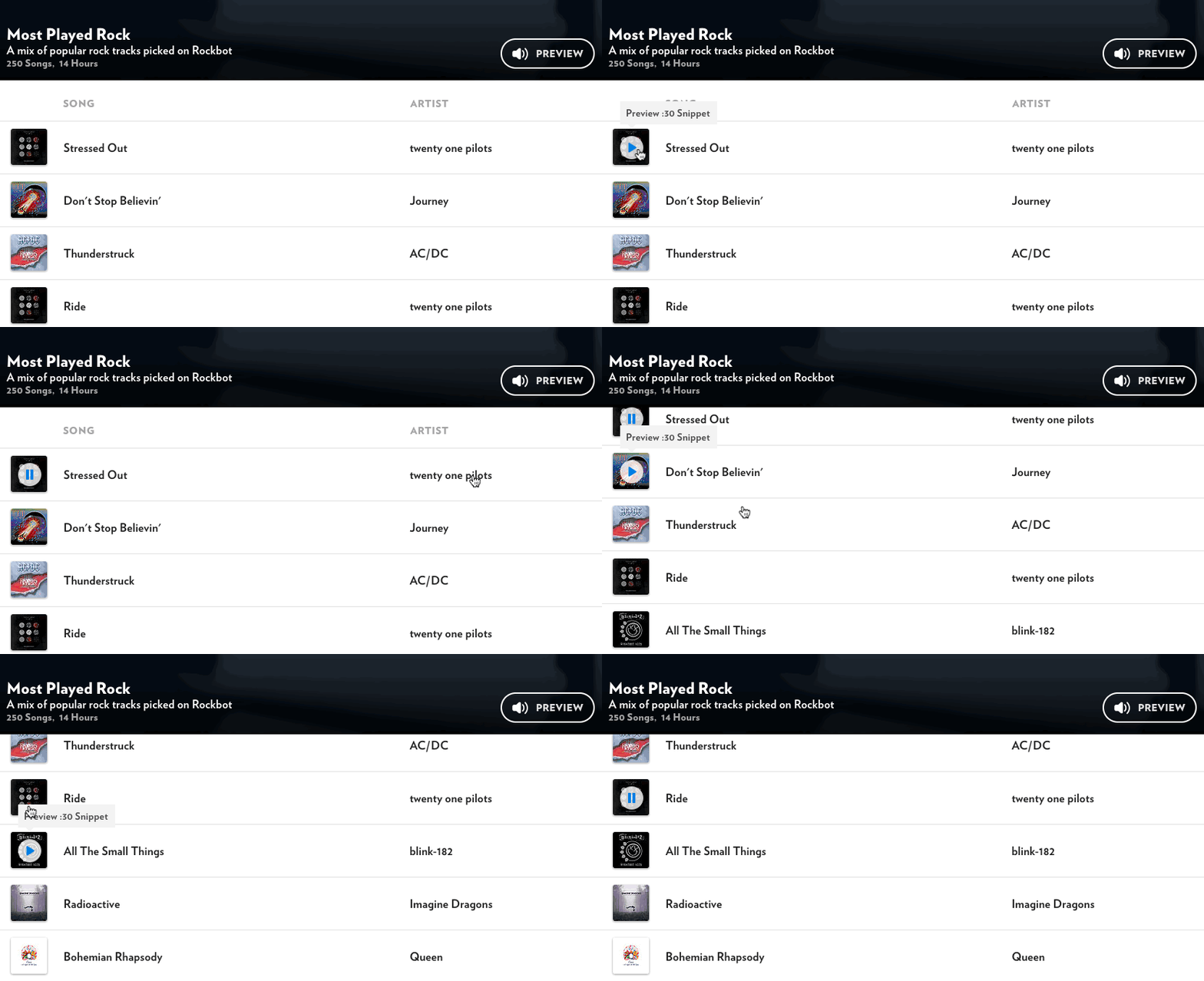
Click "Preview" at the top of a playlist to preview each song below in 30-second clips. Want to make changes to an existing playlist? You can now add or remove songs to customize our pre-curated lists exactly how you'd like.
The new Rockbot Music Dashboard is live. We hope this makes your experience with Rockbot better than ever.
If you're new to Rockbot, start a free trial here or contact us with questions here.