




Setting up a commercial audio system involves several key decisions. Operators need to select speakers, amplifiers, media players, wiring, zones, and software that ties this hardware together. Good choices can result in a system that runs reliably for years with minimal oversight, but poor decisions (such as a mismatched amplifier or a consumer device operating at commercial capacity) can create expensive problems that compound over time.
This guide is written for business owners and operators who have already decided they want audio in their space and want to choose a setup for long-term success. A business audio system operates differently from a home setup since it runs through long daily business hours and covers irregular floor plans. The system may support multiple independent volume zones and, in many cases, double as a public announcement system. The components and wiring standards that power those requirements are distinct from anything you'd find in a home stereo context.
Before getting into the hardware decisions, be sure you’ve considered your space and the people in it. The right system for any business follows from understanding who the audience is, when content or volume needs to change, and what experience you’re trying to create. For readers focused specifically on restaurants, the restaurant sound systems guide covers that vertical in much greater depth. This guide is for the broader commercial landscape.
Core Components of a Commercial Audio System
Every commercial audio system is built from the same interlocking components: a source, amplifier, speakers, and a management platform. The specifics change based on space size and use case, but the chain is consistent. Each element must be matched correctly with the others, since the system is only as strong as its weakest link.
Audio Source: Media Player
Your source of sound determines content quality, audio fidelity, and reliability – this device enables streaming. On the other hand, scheduling, content curation, and licensing are platform-level functions, determined by the management solution you choose (covered below). This distinction matters because buyers may conflate the two.
Beyond sound, modern commercial players may also handle TV and digital signage from a single device, consolidating what previously required separate hardware. Rockbot offers a range of hardware, including our Music Player (single-zone, wired, and Ethernet-only for maximum stability) and Media Player (for multi-zone A/V, capable of running music and display-enabled content – TV and signage – simultaneously).
Amplifier
The amplifier is like the engine of the system. It powers the speakers and must be compatible with both the speaker type(s) and the total load (i.e., the combined wattage of all connected speakers). The choice between 70V and 4/8-ohm starts here because the amp determines which speaker types are compatible, which in turn shapes the rest of the system design.
Businesses can encounter two distinct mismatch problems. Either operators select incompatible speakers and an amp, or buy compatible types but undersize the amp so it can't power the full speaker load.
Speakers
Your business space and ceiling type should dictate speaker choice. Per AVIXA, teams should consider the following factors:
-
Bigger speaker drivers (a driver is the engine in a speaker) produce bass and carry sound across a larger area; smaller drivers handle higher frequencies but cover a narrower area and need to be placed more carefully
-
Most commercial speakers combine multiple drivers – woofers for low-end, tweeters for highs, mid-range for voice frequencies, and subwoofers for very low frequencies in large venues. Each handles a specific part of the sound spectrum.
-
High ceilings and irregular room shapes cause more sound to bounce around before reaching the listener. Speaker choice and placement need to account for this.
Speaker Wire and Connections
When it comes to the wires and connections that link systems, a loose connection anywhere in the chain can take down the whole system. These components get much less attention than speakers or the amp, but problems in this area are the most common causes when a system goes silent. This is also one of the easiest problems to prevent if connections are secured properly during installation.
Using the wrong gauge wire is another silent killer. Speaker wire that's too thin for the run length or power load causes voltage drop, which can result in weak volume, distortion, or one zone sounding noticeably quieter than the rest. In general, longer runs and higher-power zones need thicker wire (a lower gauge number). Always check the wire gauge against the run distance before installation, not after.
Stranded and solid wire aren't interchangeable either. Stranded wire is more flexible and more resistant to fatigue from vibration or movement, making it the better choice for speaker installation. Solid wire holds up better in fixed, undisturbed runs but can crack or break if flexed repeatedly during installation or maintenance.
Management Platform
This platform is the software layer that enables day-to-day management of the audio system. A music solution like Rockbot enables operators to schedule content by time of day, set volume caps, manage zones, and control who can change settings and from where. And because consumer services like Spotify are not licensed for commercial use, a dedicated business music platform should handle licensing on your behalf.
The management interface gives businesses greater control over sound. Excellent hardware without a locked-down control layer is still vulnerable to staff tampering, volume drift, and settings getting lost over time. Whereas traditional setups use physical wall dials or rack-mounted panels (that are accessible to anyone with no audit trail), modern commercial systems use software: a cloud dashboard or mobile app, accessible only to authorized users, with changes logged and reversible.
The Case for Consolidation
Traditional setups connect separate devices, including a media player, an amplifier, a DSP (digital signal processor), and volume controls – each of which is a potential failure point. More devices entail more complexity and more configuration, not to mention more service calls when something goes wrong. With separate components, there's also no central way to confirm that sound is actually reaching every room rather than just that the source is playing.
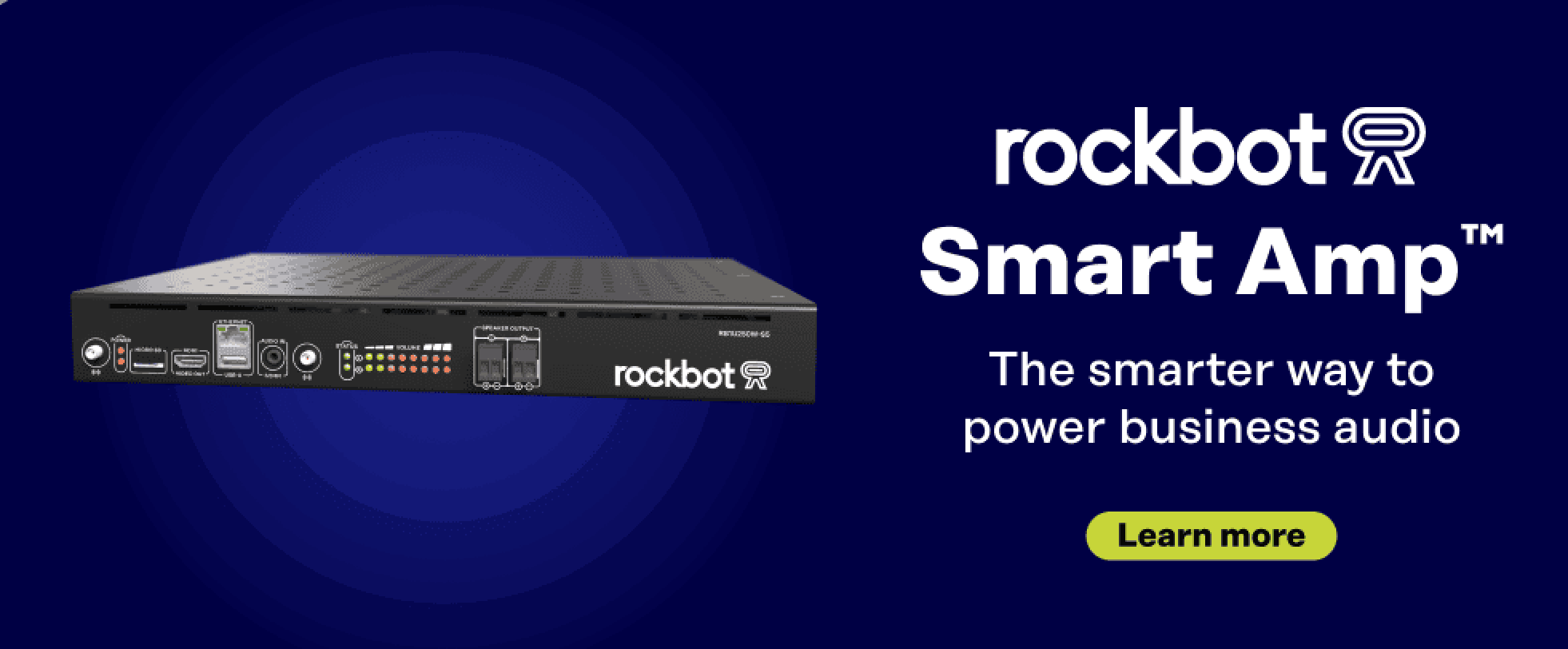
The Rockbot SmartAmp combines a 250W commercial amplifier and media player in one unit, supports all common speaker types (4Ω, 8Ω, and 70V), and handles two independent volume zones. There are no physical controls for staff to touch – volume limits, zone settings, and scheduling all live in the Rockbot dashboard and can be managed remotely across locations.
Selecting and Placing Commercial Speakers
Speaker selection and placement have a greater impact on how a system sounds than the brand of speaker or how much power it draws. A well-placed, modestly priced speaker will consistently outperform a premium one installed in the wrong spot. The goal in commercial audio is even coverage across the listening area. This means that volume is consistent, whether a customer is near the entrance or at the back of the room.
Three questions about the space narrow speaker choices for most businesses, and an installer handles the rest.
What Kind of Ceiling Do You Have?
In-ceiling speakers are the standard recommendation for spaces with drop or finished ceilings, such as offices, corridors, retail floors, and cafés. They sit flush and disappear into the ceiling plane. They can also be painted to match the surrounding material, and there are even speakers designed to fit precisely within a standard 2x2 ceiling tile square for drop-ceiling installs.
While in-ceiling installation requires an accessible ceiling, a significant number of commercial spaces, including bars, gyms, and modern retail, have open, exposed, or high ceilings where cutting a hole isn't possible. Wall-mounted speakers work well in those environments, as do pendants that hang from the structure above, keeping sound closer to ear level. For high-bay retail, supermarkets, and atriums, pendants are often the cleanest solution.
For outdoor and patio installations, weather-resistant enclosures rated to IEC/EN ingress-protection standards (or IP Rating) are required. Higher-exposure environments (uncovered rooftops or open terraces, for example) require higher IP ratings than a covered patio.
How High Is the Ceiling?
Speakers project sound outward in a cone. The further a listener is from the speaker, the wider the coverage area.
A space with 8-foot ceilings and one with 14-foot ceilings may share the same square footage but need a meaningfully different number of speakers. Higher ceilings allow sound to spread farther before reaching ear level, so each speaker covers a larger area. Sonos's in-ceiling speaker guide explains the underlying geometry well, and the physics hold regardless of whether the installation is residential or commercial.
Coverage also depends on the speaker's conical dispersion angle – think of the speaker as a flashlight and the sound as the light it casts. The higher the flashlight is mounted, the bigger the area it lights up, and the wider its beam, the more ground that light covers at any given height. Commercial speakers come in a range of dispersion angles, typically between 90° and 120°, and that range is what turns a single height into a range of coverage rather than one fixed number.
Coverage per speaker scales significantly with ceiling height, and the exact figure depends on the speaker's dispersion angle. Rockbot's own installation guidelines suggest that for a typical ceiling speaker with a 90°–120° conical dispersion pattern, coverage ranges from roughly 200–600 square feet at 8 feet, 450–1,350 square feet at 12 feet, and 600–1,850 square feet at 14 feet.
.png?width=1024&height=512&name=Copy%20of%20Blog%20Image%20Templates%20(1).png)
In other words, a space with high ceilings needs fewer speakers than the same square footage with a low ceiling, and getting this wrong in either direction is expensive to fix after installation. Room acoustics, ambient noise levels, and content type all affect the final count. For a precise layout based on specific room dimensions and speaker specs, the Extron ceiling speaker calculator is a useful planning tool.
What Is the Space Used For?
Speaker size should match the noise level and purpose of the space. Most commercial background music applications work well with 6" speakers. In louder environments like gyms, bars, and open kitchens, 8" speakers deliver sound farther and handle bass better. And any outdoor areas need their own zone and weather-resistant speakers from the start.
Zoning Strategies and Speaker Placement
Zones refer to independently controlled areas. These areas often play the same content at different volume levels rather than different playlists. For example, a clothing store might run the same playlist throughout but keep the entrance area slightly louder to draw people in, with a quieter level in fitting rooms where customers are making decisions.
Zones that sound different should reflect a real difference in the space or the people using it. Otherwise, variations as customers move through a space create a jarring experience. A gym is a good example of this: the cardio floor and an enclosed yoga or stretching studio are physically separate spaces with different acoustics and different energy levels. Separate zones would make sense in this scenario, but probably wouldn’t if the stretching area was directly beside the treadmills.
When deciding where to put speakers, consider noise sources such as espresso machines, HVAC systems, POS counters, noisy equipment, and ambient noise from a busy retail floor. Speakers near noisy equipment have to work harder to be heard. Placing them away from those sources maintains even sound coverage without increased volume.
Amplifiers, Power, and System Design Basics
The amplifier powers every speaker in your system. Volume consistency, zone independence, and coverage quality all depend on whether it's correctly matched to the load it's driving.
70V vs. 4/8-Ohm
Per AVIXA's commercial audio guidance, 70V distributed audio is the standard for systems with many speakers spread across large spaces. This supports long cable runs from a central amplifier without losing sound quality or volume, and adding speakers later is straightforward, since each one draws a fixed amount of power from the line. For most retail stores, gyms, offices, and multi-room commercial environments, 70V is the right architecture.
Low-impedance 4- or 8-ohm systems work best for smaller setups with shorter cable runs and fewer speakers. They suit spaces where audio quality matters more than wide coverage. A small boutique or private office is a good example. Low-impedance systems also add another layer of complexity: how the speakers are wired (in series or in parallel) changes the combined impedance the amplifier sees, and getting it wrong can damage the equipment.
The right choice depends on what the space needs.
Sizing a 70V Amplifier
Each speaker in a 70V system is set to draw a specific amount of power. This is called the tap setting, and it's listed on the speaker itself. Add up the tap settings for all connected speakers, then make sure the amplifier can handle that total at around 80% of its rated capacity, leaving a 20% buffer.
That buffer prevents the amp from running at its limit during loud moments and leaves room to add speakers later without replacing the amp. Pure Resonance Audio's 70V amplifier sizing guide covers the calculation in detail.
Reliability and Remote Management
Traditional amplifiers are covered in knobs, dials, and switches that staff can adjust. When settings drift and something stops working, there's rarely documentation of where anything was originally set.
A connected system removes those variables entirely. It removes physical controls entirely and can confirm that sound is actually reaching the room, not just that the source is playing. Whereas a loose wire in the ceiling prevents a traditional amp from receiving a signal, a connected system catches it before it becomes a service call.
The Rockbot SmartAmp has no physical controls and monitors speaker line health remotely, so problems surface before they affect the business. It also auto-detects connected speaker type (70V, 4Ω, or 8Ω), reducing the risk of misconfiguration. See how it works.
Balancing Room Acoustics
The room itself has more impact on sound quality than almost any equipment decision. Hard surfaces like glass, tile, exposed brick, or bare high ceilings cause sound to reflect. This creates an echo and muddies sound in a way no speaker upgrade can fix. Soft surfaces, on the other hand, tend to absorb sound.
According to Commercial Acoustics:
-
A room built entirely of hard surfaces will be loud and reverberant regardless of size. The absorption provided by panels, carpet, drapery, or ceiling tile carries the entire acoustic load in those environments.
-
RT60 (Reverberation Time 60) measures how quickly sound fades after the source stops. A shorter RT60 is better for speech clarity; a longer one suits spaces where music needs to fill the room.
-
For reference, a well-treated office or classroom typically has an RT60 of 0.4–0.6 seconds, and a restaurant has an RT60 of 0.5–0.8 seconds
-
NRC (Noise Reduction Coefficient) is the rating most acoustic products advertise, but it doesn't capture how a material handles low frequencies
-
Two products with the same NRC can perform very differently in a hard-surface space with bass buildup. When that's a concern, ask for full frequency data rather than a single number.
Acoustic panels need to be thick enough to absorb the frequencies they're meant to treat. Thin foam handles high frequencies but does little for bass, which is why it rarely solves the problem in a loud, hard-surface commercial space
Furnish your space before tuning the system since acoustics change significantly once a room has furniture, fixtures, and people in it. A good installer looks at ceiling height, floor materials, wall surfaces, and room shape before making any recommendations, then tunes the system to account for how the space actually sounds when occupied. The right setup also means the system can run at a lower volume, which is more comfortable for everyone and easier on the equipment over time.
Types of Commercial Audio Systems by Application
Different businesses need different audio setups, and the categories below cover the most common applications, including a few that may get overlooked.
Background Music
Background music is the most common use case for commercial audio. The goal is consistent sound across the whole space at a volume that doesn't compete with conversation. A well-designed setup gives operators control over what plays, when, and at what volume, without requiring anyone to be on-site to manage it.
Multi-Use and Daypart Spaces
Some spaces have genuinely different audio needs depending on the time of day. Getting this right requires thinking through your content and spatial needs before any system is installed. A platform with robust scheduling and zone management tools makes the transitions automatic, consistent, and brand-appropriate regardless of who's working that shift.
Audio Messaging
Audio messaging adds a layer to your audio setup, featuring pre-recorded or scheduled messages that can play over the music or between tracks, without requiring a live microphone. Promotional announcements, closing time reminders, safety notices, and branded content all fall here. Many larger brands take this further by creating curated radio stations that blend music with messaging into a seamless branded audio experience.
Overhead messaging infrastructure can also become a revenue line for businesses that sell audio placements to brand partners. For a deeper look at how that works in practice, this article covers the strategy and production side of in-store retail media.
Experiential Audio
Some businesses use their audio system as an active part of the customer experience. Letting visitors participate in what plays is one approach, and it connects directly to the broader trend of experiential retail, where physical spaces are designed to engage beyond encouraging transactions. When customers have a stake in the environment, they stay longer. The Rockbot Request app adds that capability to any Rockbot audio product. For most spaces, it requires no additional hardware.
Employee-Targeted Audio
A platform that allows you to easily shift content to employee-preferred music and relevant announcements by time of day handles the transition automatically, with no on-site manual changes needed. Music suited to those hours, along with announcements relevant to the team rather than customers, makes better use of infrastructure that's already running.
Most businesses find their audio needs expand over time. Planning for that flexibility from the start is worth considering, since retrofitting a system after the fact can be more expensive than building growth in from the beginning.
Reliability and Longevity
A commercial audio system is a long-term investment. The decisions you make around installation, maintenance, and platform can have as much impact on that investment as the hardware itself.
Installation
Professional installation is the right call for most commercial spaces. The cost of getting set up wrong can exceed the cost of doing it correctly from the start (especially when you consider repositioning speakers, rewiring after a ceiling is finished, or replacing mismatched components). A good installer asks questions about the space before recommending anything – since product recommendations should come after that conversation, not before.
DIY installation is possible, but hidden costs include time, liability if something fails in a customer-facing environment, and the near-certainty of at least one avoidable mistake. Rockbot connects customers with installation partners who know the hardware, so your system works correctly from day one.
Maintenance
A commercial audio system isn't a set-it-and-forget-it investment, but with the right setup it comes close. Routine checks (especially to items like speaker lines, firmware updates, and amplifier health) catch surface problems before they become noticeable. Systems with remote monitoring can catch these issues automatically, without anyone needing to be on-site. An annual review helps align the system with any changes in the space or the business, such as new zones, a layout change, or an updated content strategy.
How Long Will This Last?
Commercial audio hardware is built for longevity. According to Ford AV's lifecycle guidance, speakers and audio systems typically last 10 or more years with minimal wear in most commercial environments. Cabling runs 10–15 years with regular inspections.
Control systems and processors tend to need refreshing every 5–7 years as software requirements evolve – though hardware that receives software updates can extend that window significantly. Since launch, the Rockbot SmartAmp has added capabilities including dual-channel audio and per-location max volume control, delivered automatically to every unit at no additional cost. Customers who purchased on day one have it all.
Hardware choice matters, of course. Rockbot devices are built on BrightSign technology – the industry standard for commercial media player reliability – which means the hardware running the system is purpose-built for continuous commercial use, not adapted from a consumer product.
Choosing a Full-Service Solution
Your hardware and platform don't have to come from the same place, but they need to work together. If you already have hardware in place, the platform you choose should be able to manage scheduling, remote control, zone management, and monitoring without gaps. If you're starting fresh, choosing hardware and platform together from the start avoids compatibility issues down the line.
The value of a modern commercial audio system increasingly lives in the platform layer: scheduling, remote control, zone management, content curation, monitoring, and diagnostics. Hardware that improves over time through software updates, gaining new capabilities without requiring a replacement, changes the long-term economics of the investment.
Commercial-grade hardware paired with the right platform means less time troubleshooting and more time focused on the business. Talk to Rockbot about finding the right setup for your space.